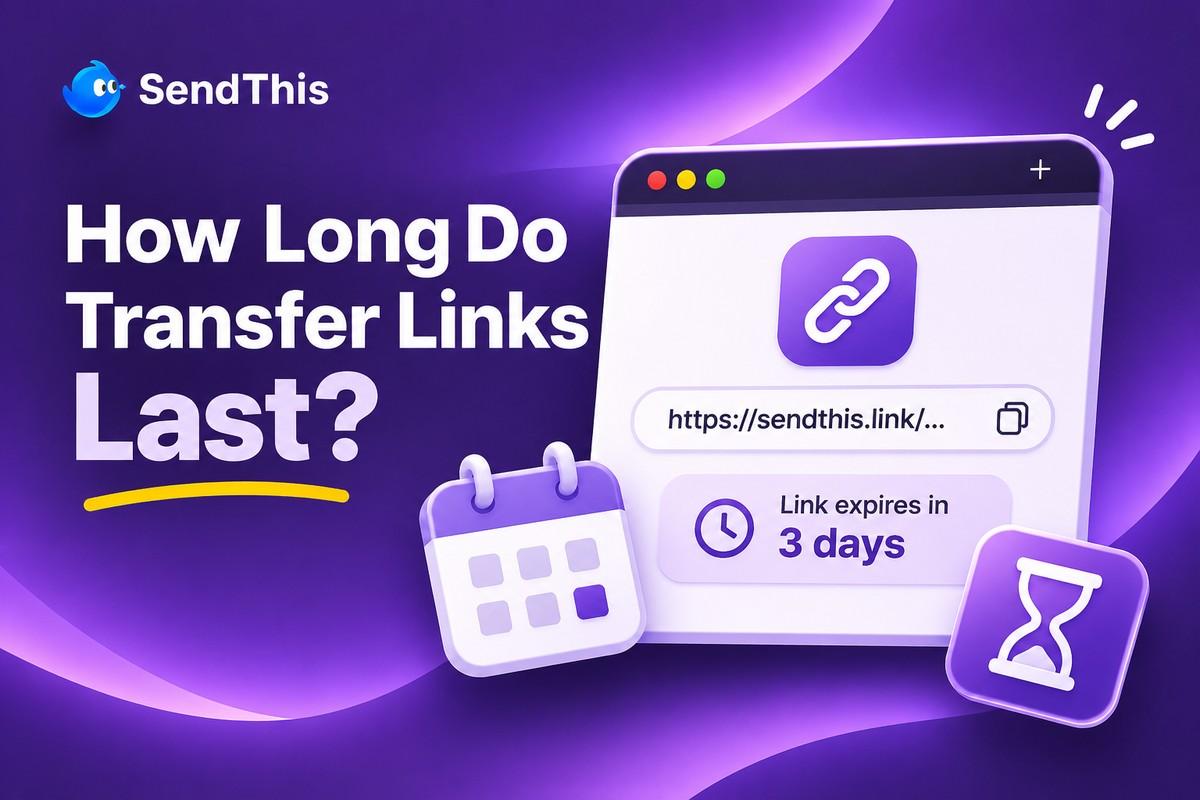
Sending massive project folders to clients requires knowing exactly when your digital delivery will disappear from the web. Wondering how long do transfer links last is vital because missing a deadline causes unnecessary friction for everyone involved. Understanding standard file transfer expiry rules helps you manage client expectations smoothly before you hit the send button. Whether you need a short download link expire window or extended free transfer validity, knowing how many days link works keeps projects safe.
Quick Summary Box:
- Standard Timeframes: Most basic un-paid sharing platforms keep your delivery active for a window of three to seven days.
- Storage Management: Services enforce strict deadlines to clear out server space and keep their infrastructure running efficiently for everyone.
- Security Benefits: Time-limited deliveries automatically protect your privacy by ensuring sensitive documents do not linger online forever.
- Upgraded Control: Premium options allow users to customize their expiration dates, extending availability for several weeks or months.
Understanding File Transfer Expiry Limitations
Digital delivery platforms host gigabytes of your data on their private servers temporarily so recipients can download it easily. A 2026 data report conducted by Photoaid reveals that the typical smartphone user stores 2,795 photos on their device. Moving heavy archives like that requires strict server management.
Here is why managing your file transfer expiry dates is critical for a smooth daily workflow:
- Avoiding Client Frustration:
- Clients often wait until Friday afternoon to finally click the delivery URL you sent them on Monday morning.
- If the timer runs out before they click, they will inevitably email you asking for a completely new upload.
- Maintaining Professional Boundaries:
- Telling a client exactly when their delivery will disappear creates a natural, polite urgency to review the work.
- This gentle pressure prevents projects from dragging on indefinitely while waiting for a simple asset download confirmation.
- Want to confirm whether a client actually collected the files? Learn how to check if a client downloaded your file.
- Protecting Confidential Business Data:
- Leaving financial spreadsheets or unreleased video campaigns active online for months is a massive security liability.
- Automatic expiration acts as a self-destruct mechanism, cleaning up your digital footprint without any manual effort.
Exactly How Many Days Link Works Across Popular Services
Every platform sets its own unique rules regarding data retention, making it crucial to read the fine print beforehand. Knowing how many days link works across different account tiers prevents unexpected data loss.
- Basic Three to Seven Day Windows for Free Accounts
The vast majority of basic, un-paid sharing tiers give you a tight window ranging between three and seven days. This standard timeframe is usually enough for quick, everyday handoffs where the recipient is expecting the file immediately. However, it often falls short when dealing with busy international clients who might be away on holiday.
- Fourteen Day Extensions Found in Paid Subscriptions
When you upgrade to a professional tier, platforms typically extend the default lifespan of your deliveries to fourteen days. This extended grace period is highly recommended for creative agencies juggling complex approval rounds across multiple global time zones. Having two full weeks ensures that every stakeholder has ample time to review and download the assets.
- Why Services Enforce Expiration Dates Automatically
Hosting millions of massive video files and photo archives costs companies an incredible amount of money in server maintenance. Enforcing strict deletion schedules is the only way these platforms can afford to offer basic sharing features at no cost. Once a file vanishes, that server space is instantly recycled for the next person waiting in line.
What Happens When Your Free Download Link Expires Suddenly?
It is incredibly frustrating for a client to open a delivery email only to find a dead webpage waiting for them. Knowing what happens when a download link expires helps you troubleshoot the situation calmly.
Review this timeline to understand exactly what happens behind the scenes when a delivery reaches its final hour:
- The Access Gateway Closes:
- The exact minute the timer hits zero, the public URL immediately stops routing traffic to the download page.
- Anyone who clicks the URL will be greeted by a generic error screen stating the content is unavailable.
- The Underlying Files Are Purged:
- Depending on the platform’s specific privacy policy, the actual raw files are queued for permanent server deletion.
- Once this hard deletion occurs, there is absolutely no way for customer support to retrieve the lost data.
- Active Downloads Are Terminated:
- If a client is halfway through downloading a massive folder when the clock runs out, the connection drops.
- They will receive a network error and will be unable to resume the progress they already made.
Common Issues With Standard Free Transfer Validity Limits
While having a fixed free transfer validity period is convenient, it can sometimes clash with unpredictable real-world creative workflows. Heavy reliance on inflexible expiration timers can lead to annoying administrative bottlenecks during busy weeks.
Here are the most common hurdles professionals face when dealing with rigid timeline restrictions:
| Restriction Type | The Workflow Problem | The Professional Impact |
| Hard-Coded Deadlines | You cannot change the date after hitting send. | Forces you to re-upload massive files if a client misses the deadline. |
| No Manual Deletion | The file stays live until the timer finishes. | You cannot revoke access early if you sent the wrong file by mistake. |
| Silent Expirations | The platform does not warn you before deletion. | You lose track of which client deliveries are still active online. |
When you need to resend expired project files, check Gmail’s official attachment size limits before sending them by email.
Try SendThis for Better Control Over Transfer Expiration
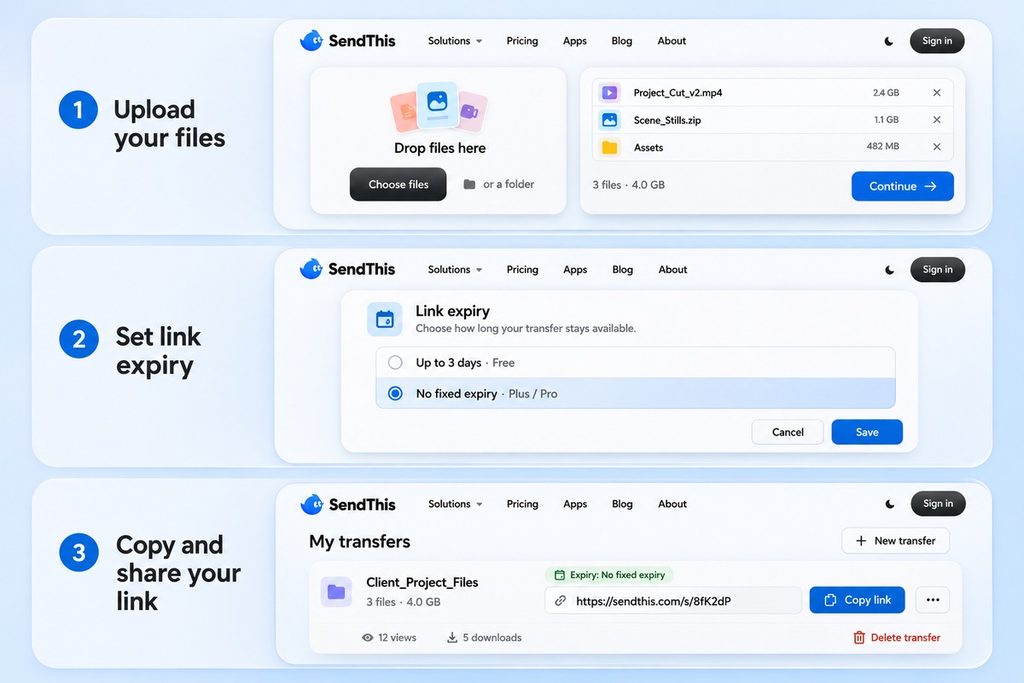
If you are tired of rigid timers dictating your project handoffs, SendThis offers the perfect level of control. You can manage your digital deliveries with precision, ensuring clients always have enough time to grab their files.
Here is why modern professionals use SendThis to manage their delivery timelines seamlessly every day:
- Flexible Link Lifespans: Choose exactly how long your delivery stays active based on your specific project needs and timeline.
- Instant Manual Revocation: Delete any active delivery from your dashboard immediately if you need to revoke access before the timer ends.
- Ad-Free Client Pages: Your clients will never have to navigate through confusing banner ads to find their download button.
- Transparent Analytics: Check your dashboard to monitor view counts and confirm whether the files were secured before the deadline approaches.
Whether you’re sending client deliverables or large project archives, SendThis makes file delivery easier to manage.
Compare the SendThis pricing plans to find the right option for your transfer needs.
Final Thoughts
Knowing how long to transfer links last empowers you to manage client handoffs with total confidence and professionalism. By understanding expiry limitations and utilizing flexible tools, you can ensure your hard work never vanishes prematurely.
Choose how long your files stay available and make your next delivery easier with SendThis.
Frequently Asked Questions
- Can I Recover a File After the Deadline Passes?
Once the countdown finishes and the platform purges the data from its servers, recovery is generally impossible for free tiers. The infrastructure is designed to permanently wipe the data to maintain strict privacy standards and free up operational bandwidth. You will need to locate the original files on your local computer and initiate a completely fresh upload.
- Will the Sender Be Notified When the Time Runs Out?
Some platforms send an automated email alert twenty-four hours before a delivery is scheduled to be permanently deleted. However, many basic services silently purge the files without warning, leaving the sender completely unaware of the status change. It is always best to track your own deliveries manually or use a dashboard that displays active timelines clearly.
- Does the Expiration Timer Delete Files From My Computer?
No, an expiration timer only dictates how long the temporary copy lives on the external hosting servers online. The original documents, videos, and archives stored safely on your personal hard drive remain completely untouched and secure. You always retain total ownership and control over the original master files sitting on your physical devices.
- Can transfer links be extended once they expire?
No, once a transfer link hits its expiration time and deactivates, it cannot be renewed or extended. You will need to generate a completely new link by re-uploading or re-sharing the files from your source platform. This security measure prevents unauthorized long-term access to stale or outdated links.
- Do recipients need an account to download files?
Generally, recipients do not need to create an account or sign in to access and download files through a standard transfer link. They can simply click the provided URL, view the shared contents, and download them directly to their device. This frictionless experience is designed to make file sharing as quick and accessible as possible for clients and colleagues.
- Are transfer links encrypted during download?
Yes, reputable file transfer services use secure encryption protocols like HTTPS to protect your data while it is in transit. This ensures that any files downloaded by your recipients are shielded from interception and unauthorized snooping on public networks. Your data remains fully secure from the moment it leaves your device until the download finishes.
- What happens if a download is interrupted halfway?
If a download gets cut off due to an unstable internet connection, most modern browsers and transfer platforms support resumable downloads. This means you can often resume the download right where it left off without having to restart the entire file transfer. However, if the underlying link expires while the download is paused, you will need to request a fresh link from the sender.
- Can I track when someone downloads my files?
Many advanced transfer platforms provide delivery notifications or download tracking metrics so you know exactly when a file has been accessed. You can check your sender dashboard to see timestamps of successful downloads and monitor whether your recipient has retrieved the files. This visibility helps you confirm receipt without needing to send follow-up messages.